CastChat - Match & Voice Chat
- 4.8
- Rating
- 10.00M
- Installs
- Free
- Price

 Analysis by App-foxy
I came away from CastChat with a fairly clear impression: it is most useful when you want to turn gaming from a solo activity into a social routine. Rather than treating communication as something you arrange elsewhere, this free communication app puts finding teammates, meeting other players, and joining group conversations at the center of the experience. That makes it appealing for people who regularly struggle to find a compatible squad, but less convincing for anyone who only needs a simple voice call with friends they already know.
My main reason for recommending it is convenience. A player can use it as a social starting point instead of moving between a game, a general chat service, and separate communities. The idea sounds straightforward, but it changes the moment-to-moment experience: you are not only contacting an existing friend list; you are looking for people who are already interested in playing and talking. The quality of that experience depends heavily on the community you encounter, so I would not describe it as universally essential. I would describe it as a focused meeting place for gamers who want more interaction around their games.
Where CastChat is strongest in everyday use
The app is developed by Guru AI Lab and has built a substantial audience, with more than ten million installs. Its average score sits at 4.8 from roughly fifty-four thousand ratings, while about five thousand six hundred written reviews provide additional user feedback. Those figures suggest that the basic concept works well for many people, although a large audience does not automatically guarantee that every room or conversation will suit you.
You May Also Like

 Blood Strike: 2.5 Anniversary
Blood Strike’s Loadouts Turn Every Drop Into a Tactical Gamble
A close look at Blood Strike’s custom loadouts: how fast access to signature weapons reshapes its battle royale rhythm, rewards preparation, and narrows the gap between fights.

 Pandora - Music & Podcasts
Pandora’s Music Is Easy to Start, but Harder to Recover
Pandora’s strength is its low-effort path from a seed to a station. Its weak spot is how much confidence it asks you to place in connection, setup, and quiet recovery.

 8 Ball Pool
 Is Built on Rivalries, Rematches, and Routine
A close look at the rivalries, rematches, shared routines, and unanswered safety questions that turn a quick pool match into a persistent mobile community.

 Samsung Music
’s Quiet Strength Is Playing What You Already Own
Its reach comes less from spectacle than from dependable access to a personal library. That simplicity is both the app’s strongest retention engine and its ceiling.

 AccuWeather: Weather Radar
AccuWeather Review: A Quick, Clear Forecast for Everyday Decisions
For everyday plans, the best forecast is the one you can understand quickly. AccuWeather makes rain timing, radar, and local conditions easy to act on, with a few trade-offs.

 Hill Climb Racing
Why Hill Climb Racing Still Turns Crashes Into One More Run
A tiny car, a bumpy hill and one more upgrade: Hill Climb Racing keeps resurfacing because its simple chaos makes every near-miss feel personal.
More From Our News Desk



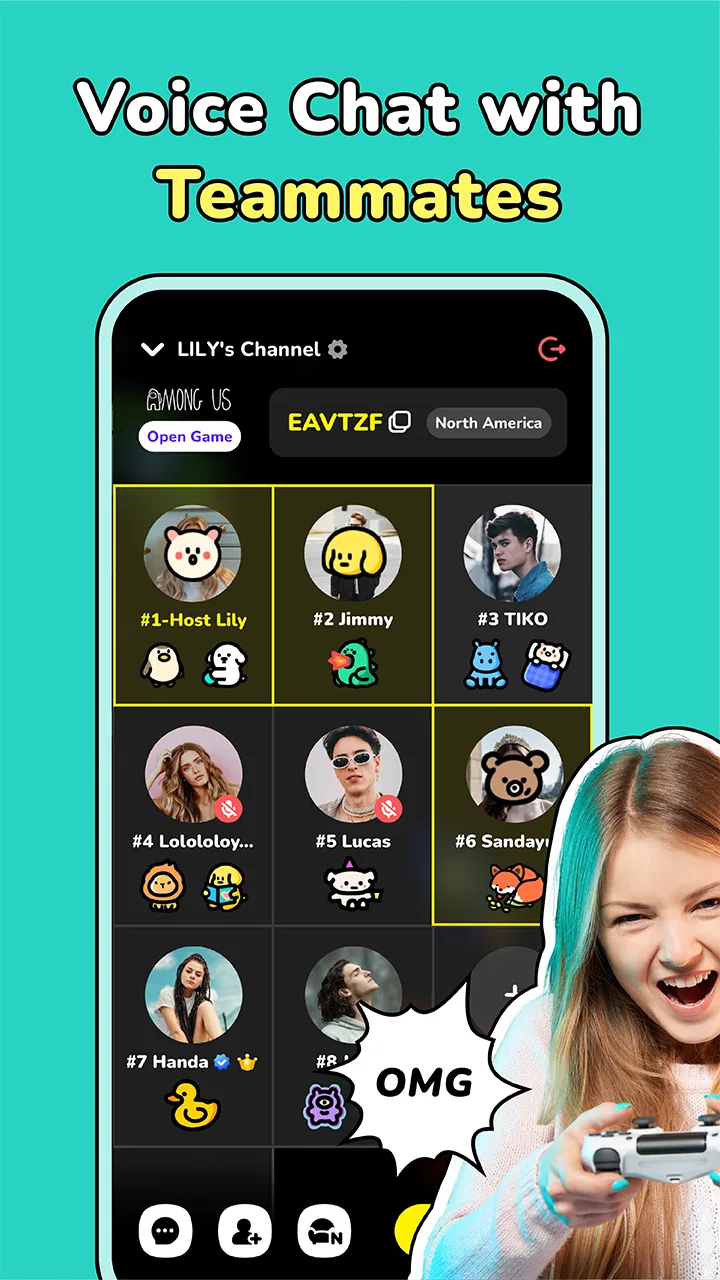
In practice, the most useful way to approach CastChat is to think of it as a combination of teammate discovery and group communication. If I am already playing with a regular group, a familiar chat platform may remain faster. If I am alone and want to find people who are available for a session, however, a gaming-focused app makes more sense than searching through unrelated social spaces.
A realistic example would be a player who has a free evening but does not want to play alone. Instead of sending messages to several friends and waiting for replies, that player can open CastChat, look for a suitable gaming conversation, and start by observing how people communicate. This is an important distinction: the app is not only a tool for speaking during a match. It can also help reduce the awkward gap between deciding to play and actually finding company.
I particularly like that the service is not limited to one title or one narrow style of play. Its store positioning presents support for all games, which gives it broader usefulness than a community built around a single release. That breadth is helpful when your interests change frequently, or when your usual friends play different games. It also means the experience can feel less predictable: the value comes from the people and conversations available at the time, not from one tightly controlled game community.
Why group chat can be more useful than a simple voice call
A normal voice-call app is excellent when everyone is already connected. It is less helpful when you need to discover new teammates, decide where to gather, or find a group with a similar schedule. CastChat’s communication focus gives it a different role. I see it as a social layer around gaming rather than a replacement for every messaging service on a phone.
That distinction matters for new players and returning players. Someone who has not played a game for a while may feel uncomfortable entering an established friend group. A broader gaming community can lower that barrier, because the starting point is a shared interest rather than an existing personal relationship. The trade-off is that meeting strangers requires more judgement. I would take time to understand the tone of a room before sharing personal information or committing to a long conversation.
Another useful habit is to treat the first conversation as a compatibility check, not a promise of a permanent team. A good match is about more than playing the same game. People may differ in skill level, preferred pace, microphone habits, humor, or tolerance for competitive pressure. CastChat can help you meet possible teammates, but it cannot remove those social differences. The app is strongest when you use it to explore options instead of expecting every interaction to become a lasting friendship.
The practical value of a gaming-centered community
General-purpose social apps often make gaming conversations compete with work, family messages, news, and unrelated groups. CastChat’s narrower purpose can make it easier to stay focused. When I want gaming-related interaction, I do not have to explain why I am looking for teammates or filter through conversations that have nothing to do with play.
This focus is also useful for people who do not have a large local gaming circle. A player may have plenty of enthusiasm but no nearby friends who play at the same time. A dedicated community offers a better chance of finding people with overlapping interests than relying only on an existing contact list. It can be especially helpful for casual players who want company without joining a highly organized competitive team.
There is a subtle workflow advantage here. I would use the app before a session to find people, during the session for group conversation, and afterward to decide whether the group is worth returning to. That three-stage use is more effective than opening it only when a match has already begun. Starting early gives you time to judge the atmosphere and avoid rushing into a conversation that does not fit.
For someone who prefers quiet, predictable communication, this same openness may be a disadvantage. A tightly managed private group in a familiar service can feel calmer and more efficient. CastChat makes more sense when discovery is part of the goal. If you already have a reliable team and want nothing beyond low-friction coordination, its broader social layer may feel unnecessary.
Limitations I would consider before installing it
The biggest weakness is not a missing button or a complicated menu. It is the uncertainty that comes with an open social environment. Finding teammates is valuable precisely because you are not limited to people you already know, but unfamiliar groups can vary in patience, maturity, and communication style. The Teen content rating is a useful reminder that this is a social space where users should behave thoughtfully and keep normal online safety habits.
I would not install CastChat expecting every conversation to be welcoming or every teammate to be dependable. Some people will be looking for relaxed company, while others may want intense competition. Some groups may communicate constantly; others may be difficult to enter. That variability is part of the product’s appeal, but it also means the app rewards users who are willing to leave an unhelpful room and try another one.
There is also a difference between discovering a teammate and building a good team. The first can happen quickly. The second requires repeated sessions, compatible schedules, and a shared approach to the game. CastChat can support the beginning of that process, but it should not be judged as though it guarantees long-term team chemistry. My advice is to keep expectations modest during the first interaction and let trust develop gradually.
Another point is cost. The app itself is free, which makes experimenting easy, but it includes optional in-app purchases ranging from ninety-nine cents to eighty-nine dollars and ninety-nine cents per item. I would treat those purchases as something to review carefully rather than assume they are necessary. A free download can still become expensive if you buy impulsively, so I would first spend time learning what the basic experience offers and decide whether any optional spending genuinely improves how you use it.
The age rating also deserves practical attention from families. Teen-rated communication spaces are not the same as private conversations with known friends. Parents and younger users should discuss sensible boundaries, including avoiding personal details, recognizing uncomfortable behavior, and leaving conversations that become aggressive or inappropriate. This is not a criticism unique to CastChat; it is a direct consequence of using a social gaming service built around meeting other people.
Who should choose it, and who should skip it
I think CastChat is a strong fit for players who often want company but do not have a dependable group available. It is also suitable for people who enjoy discovering new gaming communities, switching between different games, or chatting in a space where gaming is the main subject. Casual players may appreciate the ability to look for interaction without committing to a formal team.
It can also suit someone who has recently moved, changed schedules, or lost touch with an old gaming group. In those situations, the problem is not a lack of interest; it is a lack of access to compatible people. A dedicated communication app can make the search feel more direct than posting in a general social network and hoping the right person responds.
I would be more cautious about recommending it to a player who dislikes conversations with strangers, wants strict moderation and a highly predictable community, or already has an established private group. For those users, a standard messaging or voice-chat service may be the better option because it reduces discovery and keeps communication among known contacts. CastChat’s special value disappears when you have no interest in meeting new teammates.
It is also not the ideal choice for someone seeking a conventional messenger for family, school, or work. Its identity is tied to gaming communities and group interaction. Using it for unrelated communication would miss the reason to choose it over a familiar general-purpose alternative.
Compatibility, cost, and what to expect on Android
On Android, the app requires version 8.0 or later. That covers a wide range of devices, but anyone using an older phone or an outdated operating system should check compatibility before planning around it. The current version is listed as 2.35.1-260512529, so keeping the installation updated is sensible when using a communication service where reliability and community access matter.
Because the service is free to install, I would approach it in two stages. First, test whether the available conversations and teammate-finding experience match your habits. Second, decide whether optional purchases are worth considering. That approach prevents the price range of the in-app items from becoming the focus before you know whether the community itself is useful to you.
One practical tip is to avoid judging the entire app from a single conversation. Social platforms can feel excellent or disappointing depending on the time, the game you are interested in, and the type of group you enter. Try more than one kind of conversation, pay attention to how easily you can find a suitable group, and notice whether people communicate in a way that makes you want to return. Those observations tell you more than the installation screen does.
My final view after weighing the trade-offs
CastChat works because it addresses a specific frustration: wanting to play with other people but not having the right teammates immediately available. Its combination of group chat, gaming discovery, and a broad community gives it a purpose that ordinary voice-call apps do not fully cover. The high average rating and large install base reinforce the impression that this purpose resonates with many users, though the open nature of the community still demands personal judgement.
I would recommend it to a gamer who sees communication as part of the fun and is prepared to explore different groups. I would not recommend installing it solely because you need a private call with an existing friend; a conventional messenger will probably be simpler. The best results come from using CastChat as a doorway into gaming communities, not as a guaranteed shortcut to a perfect team.
My verdict is positive but conditional: CastChat is worth trying when finding people is as important as talking to them. Start with the free experience, take time to assess the tone of each group, protect your privacy, and avoid assuming that every new contact will be a good match. For the right player, that balance of discovery and communication can make gaming feel much less isolated.
FAQs for CastChat - Match & Voice Chat
01What is CastChat and how does it work?
CastChat is a social networking app designed to connect users through voice chat and matching features. It allows you to engage in real-time conversations with people worldwide, using filters to match with users based on shared interests. The app aims to create a dynamic and engaging social experience through voice interaction.
02Is CastChat free to use, or are there in-app purchases?
CastChat is free to download and use, offering basic features at no cost. However, it also includes in-app purchases that enhance user experience. These may include premium features like advanced matching filters, ad-free usage, or virtual gifts. The app is designed to offer a balanced experience for both free and paying users.
03What are the main features of CastChat?
CastChat offers several unique features, including voice matching, where users can find new friends or chat partners based on audio compatibility. It includes interest-based filters, private chat rooms, and the ability to send and receive virtual gifts. The app also supports real-time translation, making it easier to connect with users globally.
04How safe is it to use CastChat?
CastChat prioritizes user safety by implementing various security measures, such as profile verification and the ability to block or report inappropriate users. The app encourages respectful interaction and provides guidelines to ensure a safe environment. However, users should always exercise caution and be mindful of sharing personal information.
05What devices are compatible with CastChat?
CastChat is available on both Android and iOS platforms, making it accessible to a wide range of users. It requires a stable internet connection to function effectively, especially for voice and chat features. Users should ensure their devices meet the app's minimum system requirements for an optimal experience.
Pros
- User-friendly interface enhances experience.
- Quick match feature finds chat partners fast.
- Diverse community for global connections.
- In-app games add fun to conversations.
- Effective moderation ensures a safe environment.
Cons
- Ads can interrupt the user experience.
- Limited free features without subscription.
- Occasional connectivity issues in some regions.
- Inconsistent voice quality during calls.
- Account setup requires personal information.

CastChat - Match & Voice Chat
Gallery